QR codes are everywhere in India now: on the shop counter, the restaurant table, the parcel at your door and the back of a shampoo bottle. Most people just need a free QR code scanner app that works. AsliScan — Powered by QRAuthix does that, and it does one more thing most scanners cannot: it tells you whether a product is genuine.
Download AsliScan free from Google Play, or read more on the official website, asliscan.in.
What a good QR scanner app should do
Before you install any scanner, check that it does these basic things well:
- It is free to use. You should not have to pay or subscribe just to read a QR code.
- No sign-up. A scanner does not need your email or phone number.
- It shows you what is inside the code. You should see the link or text before you open it, so you can spot anything suspicious.
- It works in poor light. A flashlight button helps in shops and dim restaurants.
- It has a backup. If the camera cannot read a damaged label, you should be able to type the code instead.
AsliScan does all of these.
What AsliScan can scan
AsliScan reads any standard QR code, including:
- Website links on posters, flyers and adverts
- Restaurant and café menus
- Wi-Fi codes
- Business cards and contact codes
- Payment codes
- Product authentication codes from brands that use QRAuthix
For an ordinary code, AsliScan shows what the code contains so you can decide whether to open it. For a product authentication code, it checks the code live against the brand's records.
How to scan a QR code on Android with AsliScan
- Install AsliScan from Google Play. It is free.
- Open the app and tap Open Scanner Camera.
- Hold the QR code inside the frame. Keep it flat and well lit. In low light, turn on the flashlight.
- Read the result. An ordinary code shows its content. A product code shows whether it is genuine.
- If the camera cannot read it, choose Enter Code Manually and type the code printed under the QR label.
The extra check: is this product asli?
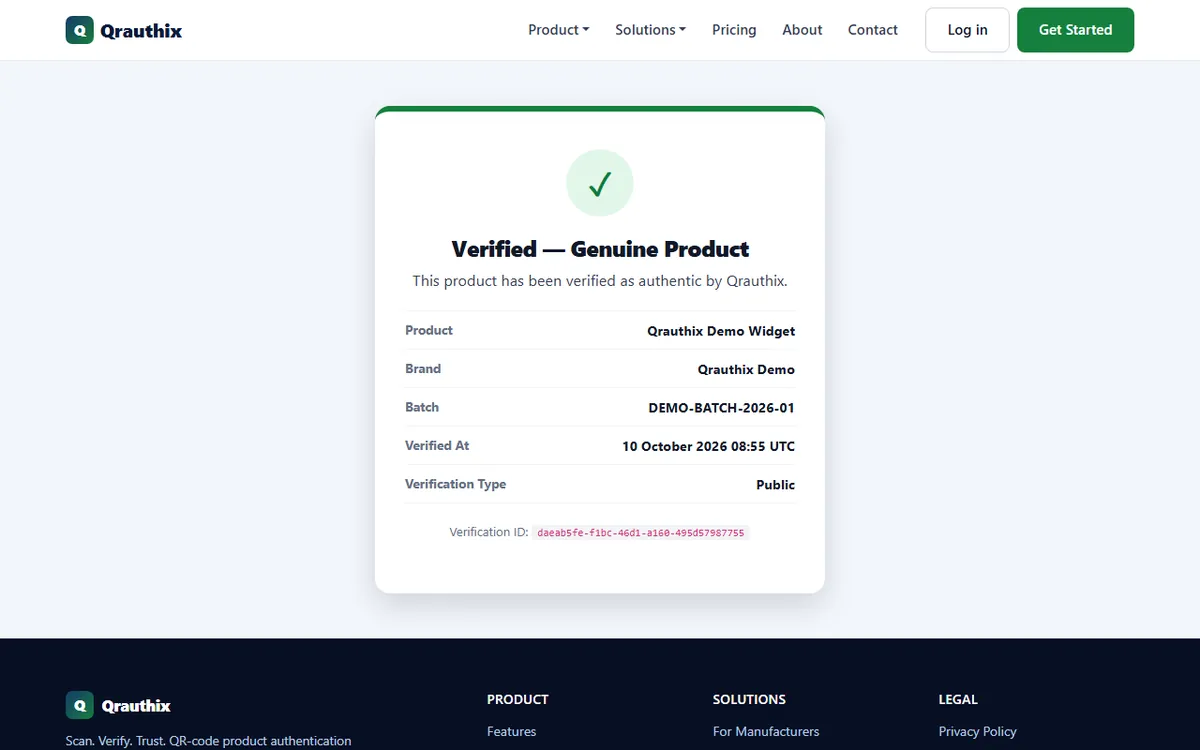
"Asli" means genuine. Fake cosmetics, chargers and spare parts can look exactly like the real thing. Brands that protect their products with QRAuthix register every code they print. When you scan one of those codes with AsliScan, you see one of two results:
- Verified — Genuine Product, with the product name, brand, batch, the time of the check and a verification ID.
- A failed check, with the reason: the code is inactive, expired, already used or not recognised. Do not treat that product as genuine.
Some higher-value products carry a Secure QR code. These can only be verified inside AsliScan, and each scan completes a one-time check, so a photo or copy of the code cannot be reused to fake a result. For the full walkthrough, read how to check if a product is genuine by scanning its QR code.
Why not just use the phone camera?
Many Android phones can read a QR code with the camera app or Google Lens, and that is fine for a menu. But a camera app cannot tell you whether a product code was really issued by the brand, and it cannot verify Secure QR codes. If you buy branded products, it helps to keep one scanner that does both jobs.
Your privacy
AsliScan does not need an account. Location is optional. If you allow it, your approximate location is saved with a product verification so brands can spot a copied code being scanned far from where the real product could be. Your recent scans stay on the home screen, and you can clear them at any time.
Quick checklist
- Install AsliScan free from Google Play
- Check the QR code is not covered by a sticker
- Read the link or text before you open it
- For products, look for Verified — Genuine Product
- Make sure the product name, brand and batch match the pack
- Report any failed check to the brand or the seller
Want more safety habits? Read 7 tips to scan QR codes safely. Run a brand and want customers to verify your products? See QRAuthix and the AsliScan product page.
Frequently asked questions
Is AsliScan really free?
Yes. AsliScan is free to download and use. There is no sign-up and no in-app purchase needed to scan or verify.
Can AsliScan read Wi-Fi and payment QR codes?
Yes. AsliScan reads any standard QR code, including links, menus, posters, Wi-Fi codes, contact cards and payment codes. It shows you what the code contains so you can decide what to do next.
Do I need to create an account?
No. You can scan and verify without an account.
Is AsliScan available on iPhone?
Not yet. AsliScan is currently available for Android on Google Play.
Does AsliScan need my location?
No. Location is optional. If you allow it, your approximate location is saved with a product verification to help brands spot copied codes being scanned far from where the real product could be.